 01
01Page scans in your browser
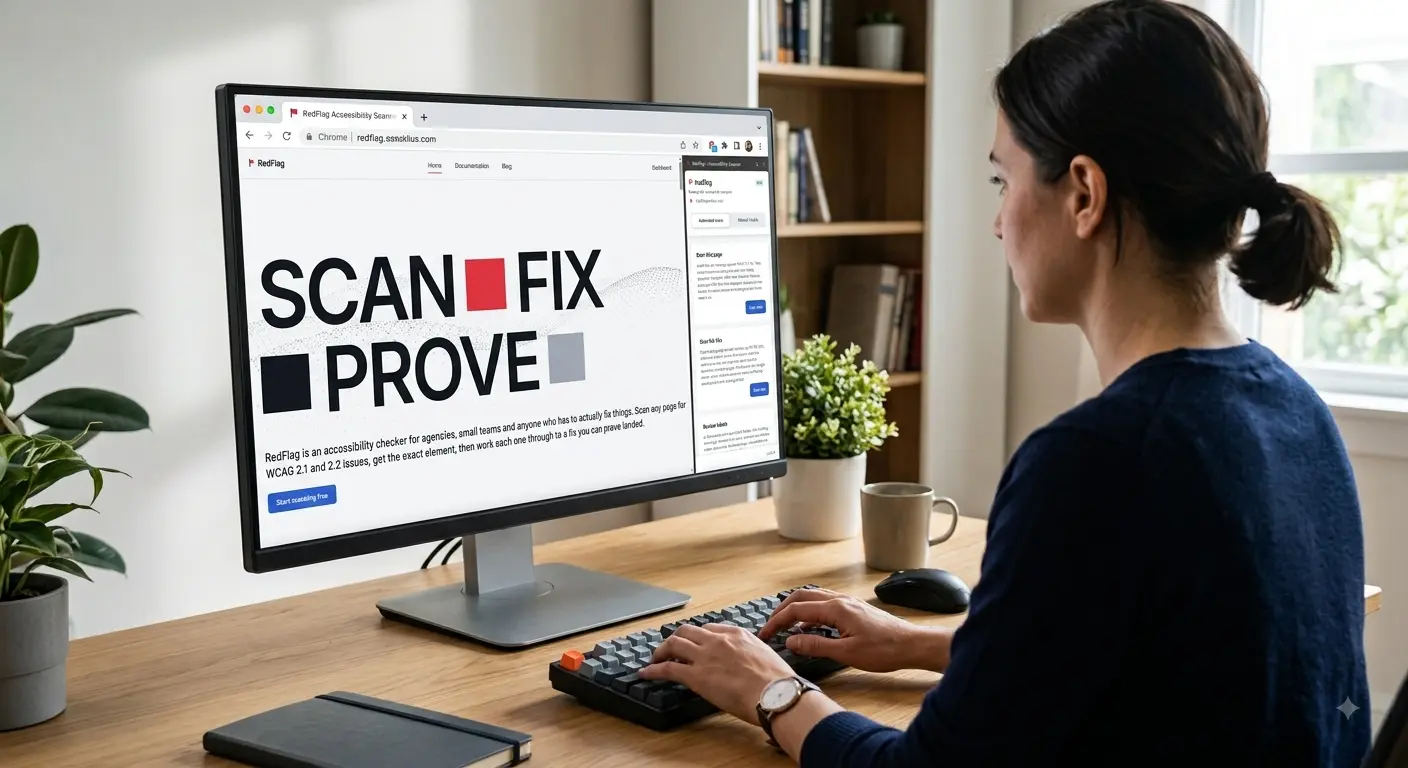
The Chrome extension runs axe-core locally on the active page. When you are signed in, results sync to your dashboard with severity, selector, HTML snippet, and fix guidance for each violation.
Start scanning freeRedFlag is an accessibility checker for agencies, small teams and anyone who has to actually fix things. Scan any page for WCAG 2.1 and 2.2 issues, get the exact element, then work each one through to a fix you can prove landed.
Start scanning free( Why RedFlag )
An automated accessibility checker finds what can be detected in code: missing alt text, low colour contrast, unlabelled fields, empty buttons, broken heading order. It cannot judge whether your alt text is meaningful or whether a screen reader user could finish a task. Deque, who build the engine RedFlag runs on, put a number on it: axe-core finds on average 57% of WCAG issues automatically. The other 43% needs a person. RedFlag runs on that same axe-core engine, but wraps it in a workflow people actually use. Each scan maps violations to WCAG success criteria, tags a severity, points at the exact selector, and explains the fix in plain English. Fix it once and it stays fixed, nobody has to rediscover the same fifteen issues next audit. Scan from the extension, check on things from the dashboard, and when a client asks for proof, you've already got it.
( What it does )
01The Chrome extension runs axe-core locally on the active page. When you are signed in, results sync to your dashboard with severity, selector, HTML snippet, and fix guidance for each violation.
Start scanning free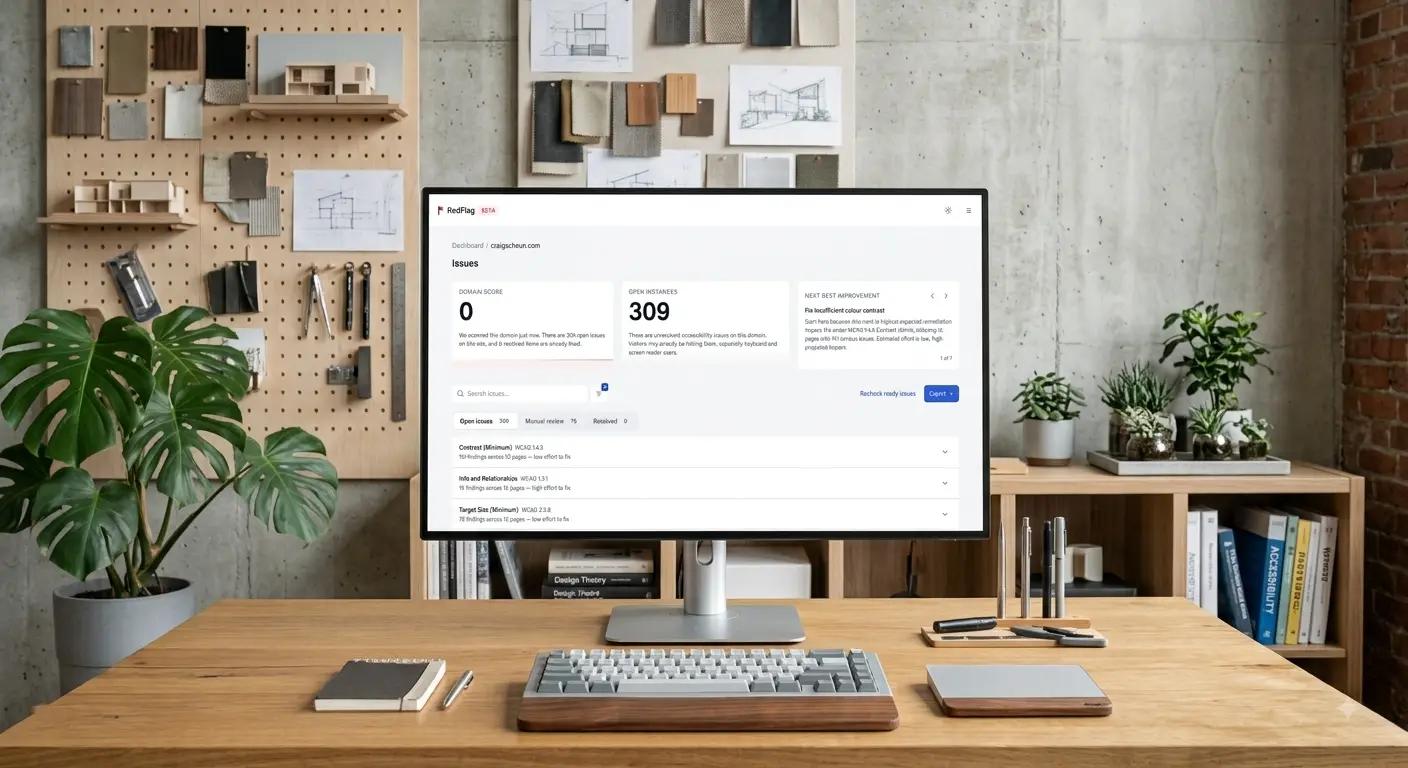 02
02RedFlag reads your sitemap.xml and works through every discoverable page in one run. Everything lands in a single domain view: one score, one issue list.
Work the queue: open, in progress, ready to verify, confirmed fixed. A weighted accessibility score per domain moves with every scan and every confirmed fix, and a recheck confirms the fix actually landed.
Export VPAT/ACR conformance snapshots and CSV issue lists from your live dashboard data for stakeholders and procurement.
( How it works )
No six-week audit engagements. Scans run in your browser, results land in your dashboard, and the score updates the moment a fix is verified.
Add the RedFlag Chrome extension and connect it to your dashboard. Free, no card.
One click on any page, or a sitemap crawl across the whole site on Pro. Every violation arrives with a WCAG criterion, severity and selector.
Work each issue through the queue, open, in progress, ready to verify, then recheck the exact element to confirm the fix actually landed.
Export a VPAT/ACR conformance snapshot or CSV from live dashboard data for stakeholders and procurement.
( Why it matters )
( From the blog )
( Questions )
Yes. RedFlag is free for one domain with no card required, including unlimited single page scans. You get the full scan engine, not a teaser.
WCAG 2.1 and 2.2 at Level AA. RedFlag documents 122 rules covering 47 success criteria, 96 checked automatically and 26 flagged for manual review.
Anyone responsible for a website that needs checking: agencies running client sites, small teams without an accessibility specialist, and developers who want the selector rather than the paragraph. Larger organisations use it too, it just is not designed around them.
Free covers one domain, unlimited single-page scans, and full-site crawls on that domain. Pro is $15 USD per month and adds unlimited domains, full history, and VPAT/ACR and CSV export.
RedFlag is Chrome and Chromium only, and it checks web pages rather than PDFs. It is not an audit and does not certify any standard: automated results are a starting point, and a formal conformance assessment needs a human expert as well as a tool.
RedFlag ("we", "us", "our") is a WCAG accessibility auditing tool consisting of a Chrome extension and a web dashboard at redflagstatus.com (the "Service"). RedFlag is operated by Qern Pty Ltd, a company based in the Australian Capital Territory, Australia (ABN 68 697 076 832). Qern Pty Ltd is the data controller for the personal information described in this policy.
This policy explains what personal information we collect through the Service, why we collect it, who we share it with, how long we keep it, and the choices and rights you have. It should be read together with our Cookie Policy and our Terms of Service.
Account and identity data. When you sign up we collect your email address and a password, which Supabase Auth stores in hashed form — we never see or store your password in plain text. If you enable two-factor authentication, Supabase stores a TOTP authenticator secret; we do not have separate access to it. We do not collect your name, physical address, or phone number to create an account.
Billing data. If you upgrade to Pro, Stripe collects and processes your payment details (card number, billing address) directly — we never see or store your full card number, CVV, or bank details. Stripe shares back a customer ID, subscription ID, subscription status, price/amount, and currency so we know which plan you're on. Stripe's privacy policy is at stripe.com/privacy.
Scan and accessibility data. When you scan a page (via the extension or a full-site crawl), the domains, page URLs, and violations found — axe-core rule IDs, WCAG success criteria, CSS selectors, HTML snippets, severity, and, for worker-captured crawls, a per-element screenshot — are saved to your dashboard if you are signed in. This is your data about websites you scan; you can delete it at any time.
AI Label Review data. If you run the optional "Review Labels" feature, the extension sends each reviewable element to our server using only five fields: CSS selector, HTML tag name, ARIA role, accessible name, and any associated <label> text. We run deterministic checks first, then forward only the subset that still needs human-style judgement to Google Gemini. Page URLs, page indexes, and full element HTML are never sent to Gemini. Flagged results, and any verdict or note you add, are saved to your dashboard.
Support and feedback data. The contact form on our website collects your name, email address, and message, and is emailed to our support inbox via Resend. In-app bug reports and feature requests collect your account email, a title, a description, an optional screenshot you choose to attach, and your extension version.
Technical and usage data. Our hosting provider, Netlify, logs standard web-server data including your IP address, browser user agent, and the pages you request. We also keep a short-lived record of the IP addresses used to attempt sign-in (for rate-limiting brute-force attacks) and to submit the contact form (for spam prevention); these records are purged automatically and are not linked to your profile beyond that purpose.
Analytics data. We use PostHog and Google Analytics (via Google's gtag.js) on the website to understand how the Service is used. On redflagstatus.com, these only load after you accept analytics cookies in our consent banner — see "Cookies and tracking technologies" below. The Chrome extension sends product-usage events to our server (which relays them to PostHog) whenever you are signed in. Extension events include the event name (for example "scan completed"), your account ID, your plan, the scan type, page and violation counts, and failure reasons — never page URLs, page content, or scan findings. The extension sends no analytics events when you are signed out. See our Cookie Policy for the specific cookies and identifiers involved. We do not use analytics data for advertising, and we do not sell it.
We collect personal information: (a) directly from you, when you create an account, contact us, or submit feedback; (b) automatically, through your use of the extension and website (scan results, usage events, IP address, cookies); and (c) from third parties who provide services on our behalf, principally Stripe (billing status) and Supabase (authentication events).
The Chrome extension runs axe-core entirely inside your browser. No page content is transmitted to our servers during a scan. If you are signed in, violation results are automatically saved to your dashboard after each scan so you can track issues over time. You can delete your scan data at any time. If you are signed out, scanning still works locally but nothing is saved.
We use personal information to: provide and maintain the Service (authenticate you, run and store scans, enforce plan limits); process payments and manage subscriptions; respond to support requests and feedback; detect, prevent, and investigate fraud, abuse, and security incidents (for example, repeated free-plan sign-ups used to bypass domain limits, or automated sign-in attempts); measure and improve product usage; and communicate essential service notices (password resets, security alerts, billing issues). We do not use your data to serve you third-party advertising, and we do not send marketing email.
Where GDPR/UK GDPR applies, our legal bases are: performance of a contract (account, scans, billing), legitimate interests (fraud/abuse prevention, product analytics, service communications), consent (non-essential cookies, where applicable — see our Cookie Policy), and legal obligation (tax and accounting records for payments).
The website and dashboard use a small number of cookies and similar technologies (such as localStorage) to keep you signed in, cache your plan, and measure product usage. The full list of cookies, their providers, purposes, and durations — and how to control them — is in our Cookie Policy.
We do not sell or rent your personal information. We share it only with service providers ("sub-processors") who need it to run the Service, under contractual confidentiality and data-processing obligations:
t.redflagstatus.com.gtag.js.We may also disclose personal information if required by law, to enforce our Terms of Service, or to protect the rights, property, or safety of RedFlag, our users, or others — for example, in response to a valid legal request, or if RedFlag is involved in a merger, acquisition, or asset sale (in which case we will notify you before your data becomes subject to a different privacy policy).
Application data (accounts, domains, violations) is stored with Supabase in Sydney, Australia. Some of our sub-processors — including Stripe, Google (Gemini and Analytics), PostHog, Cloudflare, Netlify, and Resend — operate infrastructure outside Australia, including in the United States and the European Economic Area. Where personal information is transferred internationally, we rely on the sub-processor's own compliance mechanisms (such as Standard Contractual Clauses) and choose providers with appropriate data-protection commitments.
Our login and sign-up pages use Cloudflare Turnstile to protect against automated abuse. Turnstile runs a privacy-preserving challenge in your browser and does not display an image puzzle. Cloudflare may process your IP address and browser signals, and may set a short-lived challenge cookie, to verify the challenge. This data is governed by Cloudflare's privacy policy.
The Chrome extension uses chrome.storage.local to store your authentication session (tokens), your active domain/tab context, and in-progress crawl state. This data stays on your device and is cleared when you sign out or uninstall the extension. The extension itself does not use cookies.
The web dashboard sets a session cookie issued by Supabase Auth to keep you signed in, and a small signed cookie that caches your plan and onboarding status. Your light/dark theme preference is stored in your browser's localStorage, not a cookie. See our Cookie Policy for details.
We keep your account data for as long as your account is active. If you delete your account, your domains, violations, scan history, notes, and screenshots are permanently deleted within 30 days.
Fraud-prevention exception. To prevent the Free plan's lifetime full-site-scan limit from being reset by re-signing up with the same email, we retain a minimal record — your email address and the domain(s) you ran a full-site scan against — after account deletion. We also retain a limited archive of past violations (rule ID, severity, status, domain/page URL, and timestamps, plus your email) for internal record-keeping and dispute resolution; this archive does not include CSS selectors, HTML snippets, or screenshots. You may ask us to review or delete this residual data by emailing us, subject to our legitimate interest in preventing abuse of the Service.
Payment records are retained by Stripe for the period required for tax and accounting compliance. Server logs are retained by Netlify per their standard retention practices. Login-attempt and contact-form rate-limit records are short-lived (on the order of hours) and used only to block abuse.
Scan history access by plan. Free plan users can view violation data from the last 3 days in their dashboard; older data is stored but not displayed until you upgrade. Pro plan users have access to their full, lifetime scan history with no time restriction. Data is never deleted based on plan — only what's displayed in the dashboard is limited.
We apply row-level security in our database so that, by default, only you can read or write your own account data, domains, violations, and scan history. Traffic between your browser/extension and our servers is encrypted with HTTPS/TLS. Passwords are hashed by Supabase Auth and never stored or logged in plain text. Access to systems capable of bypassing these protections (service-role credentials) is restricted to server-side code and is never exposed to the browser or extension. No method of transmission or storage is 100% secure, and we cannot guarantee absolute security.
The optional AI Label Review feature uses Google Gemini to suggest whether specific elements (for example, an icon button or a hidden dialog) likely have an accessibility problem. This is a decision-support suggestion, not a solely automated decision that produces legal or similarly significant effects on you — every flagged result is a suggestion you can accept, edit, or dismiss in your dashboard, and it never affects your account status, billing, or access to the Service.
RedFlag is a business tool and is not directed at, marketed to, or knowingly used to collect personal information from children. You must be at least 18 years old, or the age of majority in your jurisdiction, to create an account. If you believe a child has provided us with personal information, contact us and we will delete it.
Some browsers offer a "Do Not Track" (DNT) signal. There is no common industry standard for how to respond to DNT, and RedFlag does not currently respond differently to browsers with DNT enabled. You can still control analytics and cookies using the mechanisms described in our Cookie Policy.
Wherever you are located, you can ask us to access, correct, export, or delete your personal information, or ask us questions about how we process it, by emailing support@qern.com.au. You can also delete your account and most associated data directly from your dashboard settings (see "Data retention" above for the limited fraud-prevention records we keep after deletion).
You have the right to access, rectify, erase, or restrict processing of your personal data, to receive a portable copy of it, and to object to processing based on our legitimate interests. Where we rely on consent (for example, certain cookies), you can withdraw it at any time without affecting the lawfulness of processing before withdrawal. You have the right to lodge a complaint with your local data protection supervisory authority. We have not appointed a dedicated EU/UK representative; please contact us directly at the email above.
California residents have the right to know what personal information we collect, use, and disclose; to request deletion or correction of that information; to opt out of the "sale" or "sharing" of personal information; and to not be discriminated against for exercising these rights. We do not sell or share personal information as those terms are defined under the CCPA/CPRA, and we do not use or disclose sensitive personal information for purposes beyond providing the Service. To exercise your rights, email us at the address above; we will verify your request using your account email before acting on it.
We handle personal information in accordance with the Australian Privacy Principles under the Privacy Act 1988 (Cth), to the extent it applies to us. You can request access to or correction of your personal information, or lodge a complaint about how we've handled it, by emailing us first; if you're not satisfied with our response, you may contact the Office of the Australian Information Commissioner (OAIC) at oaic.gov.au.
If we make material changes, we will update the "Last updated" date above and, where appropriate, notify you by email or an in-app notice. Continued use of the Service after a change takes effect constitutes acceptance of the updated policy.
Questions about this policy or your personal information? Email us at support@qern.com.au.
Cookies are small text files stored on your device when you visit a website, used to remember information about you or your visit. Similar technologies such as localStorage (which stores data in your browser rather than sending it with every request) work for a similar purpose. This policy explains which cookies and similar technologies RedFlag (redflagstatus.com, operated by Qern Pty Ltd) uses, why, and how to control them. It should be read together with our Privacy Policy.
Essential. Required for the Service to function — signing in, keeping your session active, and caching your plan so the dashboard doesn't hit the database on every page load. You cannot opt out of these through the Service; blocking them in your browser will prevent sign-in and core features from working.
Analytics. Used to understand which features are used and where people get stuck, so we can improve the product. Set by PostHog and Google Analytics on the website.
We do not use advertising, retargeting, or third-party marketing cookies, and we do not sell your data.
| Name | Set by | Purpose | Duration | Category |
|---|---|---|---|---|
sb-*-auth-token | RedFlag (Supabase Auth), first-party | Keeps you signed in to the web dashboard | Up to 400 days, or until you sign out | Essential |
rf_pc | RedFlag, first-party | Caches your plan (Free/Pro) and onboarding status briefly, to avoid a database lookup on every page | Up to 5 minutes | Essential |
rf_consent | RedFlag, first-party | Records your cookie-consent choice (analytics accepted or declined) from the consent banner, so we don't ask again every visit | Up to 12 months, or until you change your choice | Essential |
ph_<project-key>_posthog | PostHog, via our reverse proxy t.redflagstatus.com | Assigns an identifier so we can measure feature usage and improve the product | Up to 1 year | Analytics |
_ga, _ga_<container-id> | Google Analytics (gtag.js), third-party | Distinguishes users and sessions for website traffic analytics | Up to 2 years | Analytics |
| Turnstile challenge cookie | Cloudflare, third-party | Confirms you passed the bot-detection challenge on the sign-in/sign-up page | Session, typically a few minutes | Essential (security) |
Not a cookie, but similar: your light/dark theme preference is stored in your browser's localStorage under the key rf-theme, not in a cookie. Stripe does not set cookies on redflagstatus.com — if you upgrade to Pro, you're redirected to a Stripe-hosted checkout or billing-portal page, and any cookies there are set on Stripe's own domain and governed by Stripe's privacy policy.
The RedFlag extension does not use cookies. It uses chrome.storage.local — a browser-extension storage area, not a cookie — to keep you signed in and remember in-progress scan state on your device. This is described in more detail in our Privacy Policy.
The first time you visit redflagstatus.com, a cookie-consent banner appears at the bottom of the page. Analytics cookies (Google Analytics, PostHog) are off by default and stay off until you choose "Accept analytics" in the banner — we do not set them, and no analytics network requests are made, before you opt in. If you choose "Essential only", analytics stay off and the banner is dismissed. Essential cookies (see the table above) are not part of this choice — they're required for the Service to function and are set automatically.
Your choice is remembered in the rf_consent cookie (see the table above) for up to 12 months. You can change your mind at any time using the "Cookie preferences" link in the footer of every page, which reopens the banner and clears your previous choice.
You can clear or block cookies at any time through your browser settings; blocking essential cookies will prevent sign-in and core features of RedFlag from working. Most browsers let you view, delete, and block cookies from their privacy/settings menu:
You can opt out of PostHog analytics in your browser by calling posthog.opt_out_capturing() from the browser console, or block analytics scripts with a content/ad blocker. You can opt out of Google Analytics site-wide using Google's Google Analytics Opt-out Browser Add-on.
There is no common industry standard for "Do Not Track" signals, and RedFlag does not currently change its cookie behaviour in response to them.
We may update this policy as the product evolves, for example if we add a new analytics/advertising provider or change how the consent banner works. We will revise the "Last updated" date above when we do.
Questions about cookies or your data? Email support@qern.com.au.
These Terms of Service ("Terms") are a legal agreement between you and Qern Pty Ltd ("RedFlag", "we", "us", "our"), an Australian company based in the Australian Capital Territory (ABN 68 697 076 832), governing your access to and use of RedFlag's Chrome extension and web dashboard at redflagstatus.com (together, the "Service").
By creating an account, installing the extension, or otherwise using the Service, you agree to these Terms and to our Privacy Policy and Cookie Policy, which are incorporated by reference. If you do not agree, do not use the Service.
RedFlag is an accessibility auditing service. It lets you scan web pages for WCAG 2.1 and 2.2 AA violations using the open-source axe-core engine, track issues over time, run an optional AI-assisted label review, and export findings (CSV, VPAT/ACR) from your dashboard.
You must be at least 18 years old, or the age of majority in your jurisdiction, and able to form a binding contract to use the Service. If you use the Service on behalf of a company or other entity, you represent that you have authority to bind that entity to these Terms.
You must provide a valid email address to create an account and are responsible for keeping your login credentials (and, if enabled, your two-factor authentication method) secure. You may not share your account with others or use RedFlag on behalf of someone else without their knowledge. Notify us immediately if you suspect unauthorised use of your account.
We reserve the right to suspend or terminate accounts that violate these Terms.
Free plan. No payment required. Scanning is limited to a reduced view of violations per page, one active domain, and other usage limits described in-app (for example, a lifetime cap on distinct full-site crawl domains and a monthly cap on AI label reviews). Saved dashboard data and full violation details require a Pro account.
Pro plan. $15 USD per month, or the price shown at checkout, billed monthly in advance via Stripe and auto-renewing until cancelled. All prices are in US dollars unless stated otherwise. Pro gives you full violation details, unlimited domains, full-site scanning of discoverable pages, URL List Scan, AI-assisted review, VPAT/ACR export, CSV export, and a higher monthly allowance of AI label reviews, each as described on our pricing/upgrade pages from time to time.
Billing. Stripe processes all payments on our behalf; we never receive or store your full card number. By subscribing, you authorise us (via Stripe) to charge your payment method on a recurring basis until you cancel. You are responsible for keeping your payment method up to date; if a payment fails, we may suspend Pro features until it is resolved.
Cancellation and refunds. You may cancel your Pro subscription at any time from your account settings. Cancellation takes effect at the end of the current billing period, and you retain Pro access until then. Except where required by law (including non-excludable guarantees under the Australian Consumer Law), we do not provide pro-rata refunds for partial billing periods.
Price changes. We will give you at least 30 days' notice before changing the Pro plan price. If you do not cancel before the change takes effect, you accept the new price on your next billing cycle.
You may use RedFlag only on websites you own or have explicit permission to scan. You must not:
You agree to indemnify and hold Qern Pty Ltd harmless from any claim, damage, liability, or expense (including reasonable legal fees) arising from your use of RedFlag in violation of these Terms, including scanning websites without authorisation.
RedFlag uses axe-core, together with our own automated and AI-assisted checks, to detect accessibility issues. Automated tools cannot detect all accessibility issues. Some WCAG success criteria require manual, human judgement — for example, whether alternative text is genuinely meaningful in context, or whether a complex interaction is truly operable by keyboard and assistive technology. RedFlag's output, including any AI-assisted label review result, is a starting point for your own accessibility work, not a complete audit.
RedFlag scan results, scores, and exported reports (including VPAT/ACR exports) are not legal advice, are not a certification of WCAG, ADA, EN 301 549, or any other accessibility standard, and do not guarantee legal compliance. We make no warranty that RedFlag will detect every accessibility violation on a scanned page, or that a page with zero reported RedFlag violations is fully accessible or legally compliant. You are solely responsible for how you use RedFlag's output, and you should seek independent expert or legal advice for compliance decisions.
The Service relies on third-party providers — including Supabase, Stripe, Netlify, Google (Gemini and Analytics), PostHog, Cloudflare, and Resend — described in our Privacy Policy. We are not responsible for outages, errors, or changes in these providers' services, though we will use reasonable efforts to maintain the Service's availability.
RedFlag, its software, branding, and documentation are owned by Qern Pty Ltd or our licensors and are protected by intellectual property laws. Subject to these Terms, we grant you a limited, non-exclusive, non-transferable licence to use the Service for your own accessibility auditing purposes.
You retain ownership of the websites you scan and the scan data, notes, and exports stored in your account ("Your Content"). You grant us a limited licence to host, process, and display Your Content solely to provide and improve the Service. You represent that you have the right to scan the websites you submit and that doing so does not infringe any third party's rights.
To the maximum extent permitted by law, the Service is provided "as is" and "as available", without warranties of any kind, whether express, implied, or statutory, including implied warranties of merchantability, fitness for a particular purpose, and non-infringement. We do not warrant that the Service will be uninterrupted, error-free, or completely secure. Nothing in these Terms excludes, restricts, or modifies any consumer guarantee, right, or remedy under the Australian Consumer Law or other law that cannot lawfully be excluded.
To the maximum extent permitted by law, Qern Pty Ltd will not be liable for any indirect, incidental, special, consequential, or punitive damages, or any loss of profits, revenue, data, or goodwill, arising from your use of, or inability to use, the Service — including reliance on scan results in accessibility audits, remediation decisions, or legal proceedings.
Our total aggregate liability to you for all claims arising from or relating to the Service in any 12-month period is capped at the greater of (a) the amount you paid us in that period, or (b) AUD 100.
In addition to Section 5, you agree to defend, indemnify, and hold harmless Qern Pty Ltd, its officers, employees, and agents from any claims, liabilities, damages, losses, and expenses arising out of or in any way connected with your access to or use of the Service, Your Content, or your violation of these Terms.
You may stop using the Service and delete your account at any time from your account settings. We may suspend or terminate your access to the Service, with or without notice, if you breach these Terms, if required by law, or if we discontinue the Service. Upon termination, your right to use the Service ends immediately; data handling on termination is described in our Privacy Policy. Sections of these Terms that by their nature should survive termination (including Sections 6, 8–11, and 13) will survive.
These Terms are governed by the laws of the Australian Capital Territory, Australia, without regard to conflict-of-law principles. You and Qern Pty Ltd agree to submit to the non-exclusive jurisdiction of the courts of the Australian Capital Territory. Before filing a claim, we encourage you to contact us at the email below so we can try to resolve the issue informally.
We may modify or discontinue features of the Service at any time. For material changes that affect paid customers, we will give at least 30 days' notice where reasonably practicable. We may also update these Terms from time to time; if we make material changes, we will update the "Last updated" date above and, where appropriate, notify you by email or an in-app notice. Continued use of the Service after a change takes effect constitutes acceptance of the updated Terms.
If any provision of these Terms is found unenforceable, the remaining provisions remain in full force. Our failure to enforce a provision is not a waiver of it. You may not assign these Terms without our consent; we may assign them in connection with a merger, acquisition, or sale of assets. These Terms, together with our Privacy Policy and Cookie Policy, constitute the entire agreement between you and Qern Pty Ltd regarding the Service.
Questions about these Terms? Email support@qern.com.au.